
01 / FEATURE
Organize by real project
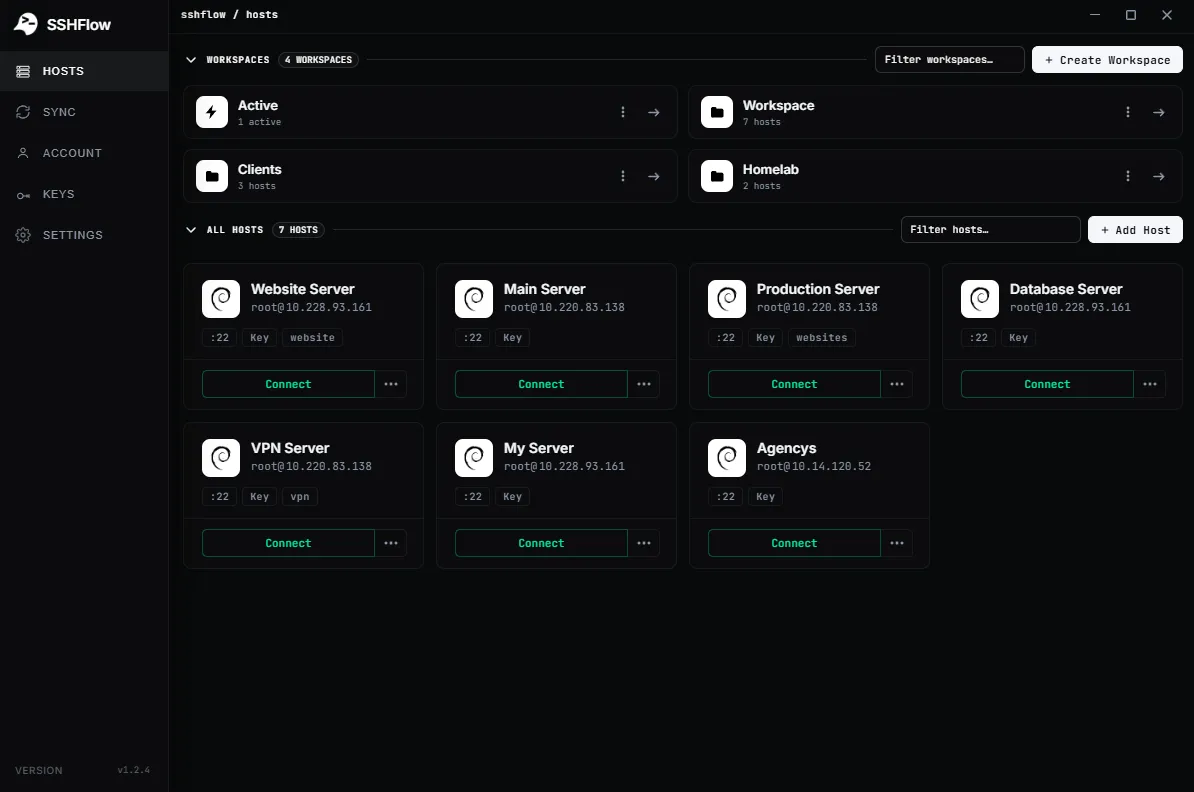
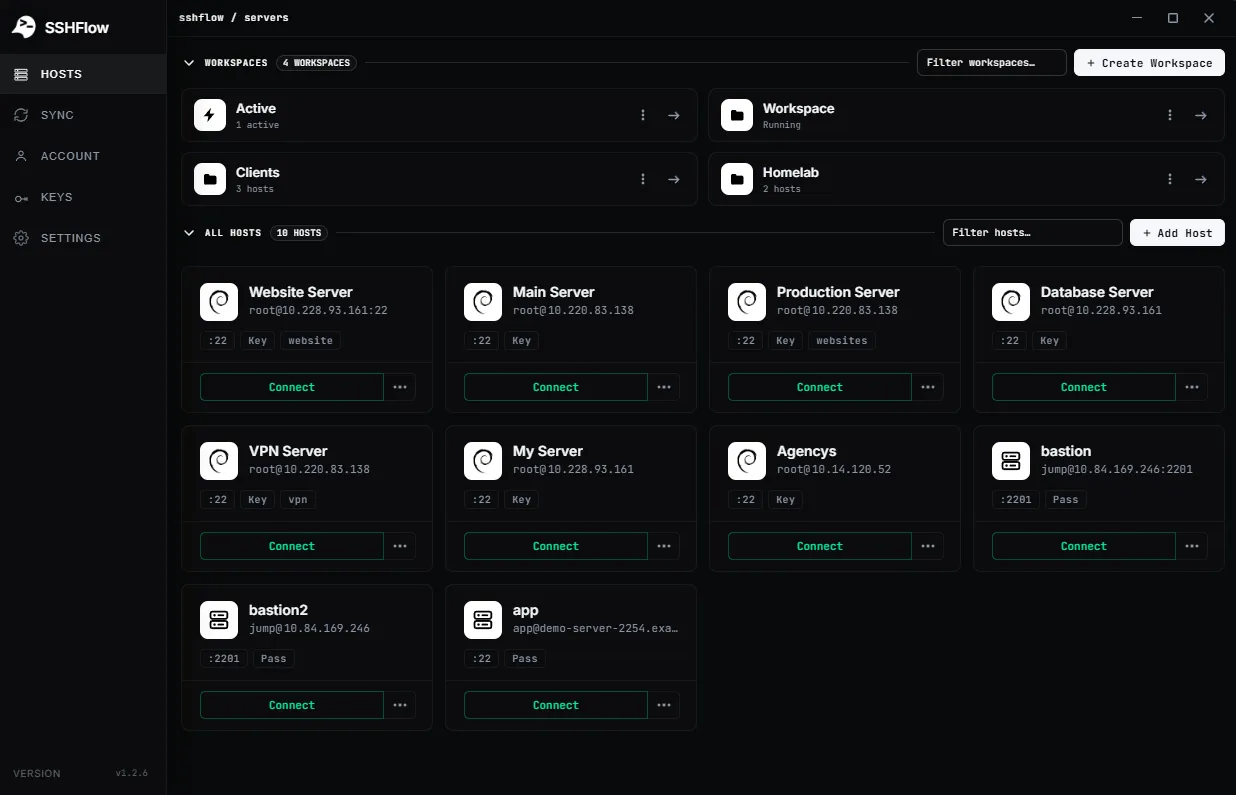
Group hosts for a project, environment or workflow. Give each group its own name and visual organization.
SERVER WORKSPACES / ORGANIZATION
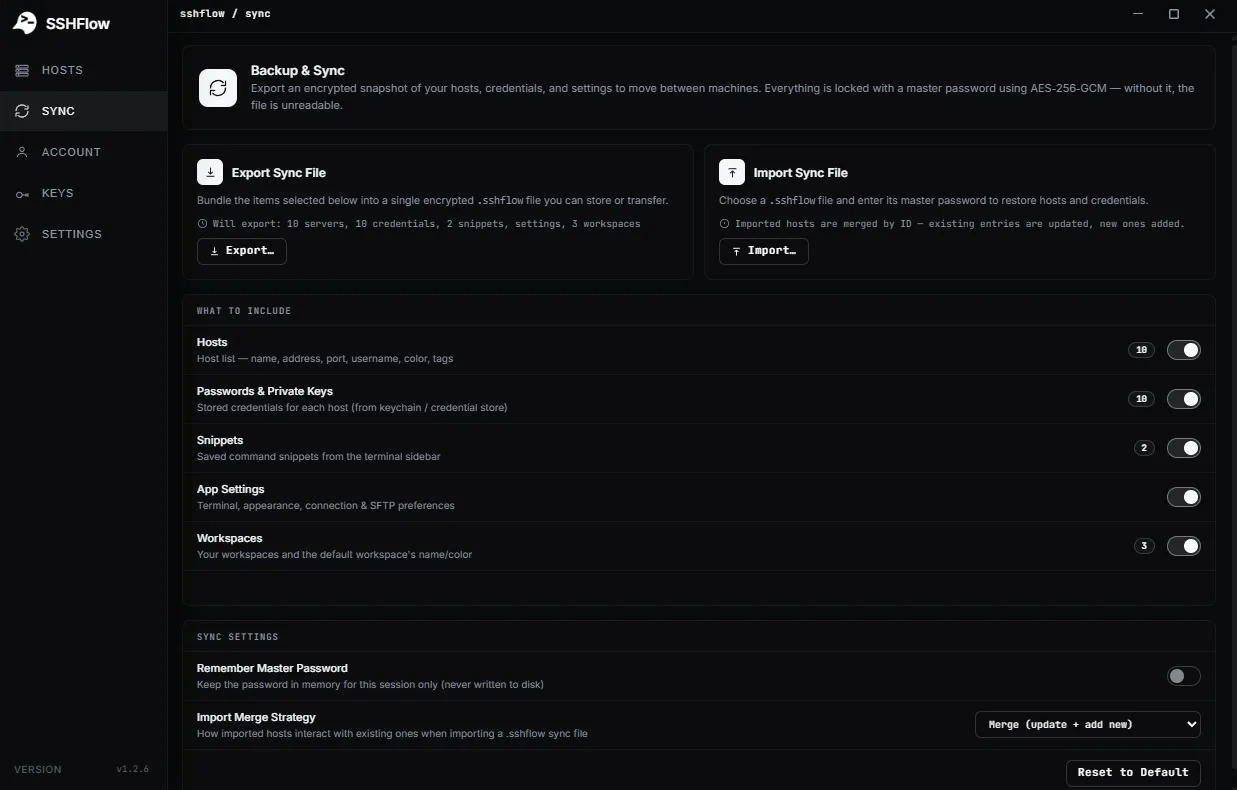
Group related hosts, keep terminal and file tabs attached to the right connection, and bring your setup to another computer with an encrypted sync file.
01 / WHY IT MATTERS
ShadeTerm keeps your tools focused on a connection and the task you are doing — rather than adding more windows and manual steps.
Group hosts for a project, environment or workflow. Give each group its own name and visual organization.
Keep the terminals, files and editor tabs for a connection together. A change of server is an explicit context switch.
Export an encrypted .shadeterm file and import it on another machine, rather than rebuilding host entries and preferences by hand.
SEE IT IN SHADETERM
Screens from ShadeTerm for Windows — the interface behind the workflow.
02 / IN PRACTICE
Designed around everyday developer tasks, not a dashboard of features you never use.
03 / WORKFLOW
A focused sequence you can follow in your own ShadeTerm workspace.
Group the servers you use together into workspaces.
Keep Terminal, SFTP and Code tabs scoped to the connected server.
Create an encrypted sync file when transferring or backing up your setup.
04 / DETAILS
Practical limitations and useful details before you get started.
A server has its own set of workspace tabs. User-created workspaces can group several servers together.
No. The documented feature is an encrypted export/import file; moving it between devices is under your control.
The documented export lets you choose servers, passwords/private keys, snippets, and application settings.
ShadeTerm / WINDOWS
Terminal, files, code and more — organized around your SSH connections.
Try ShadeTerm