
01 / FEATURE
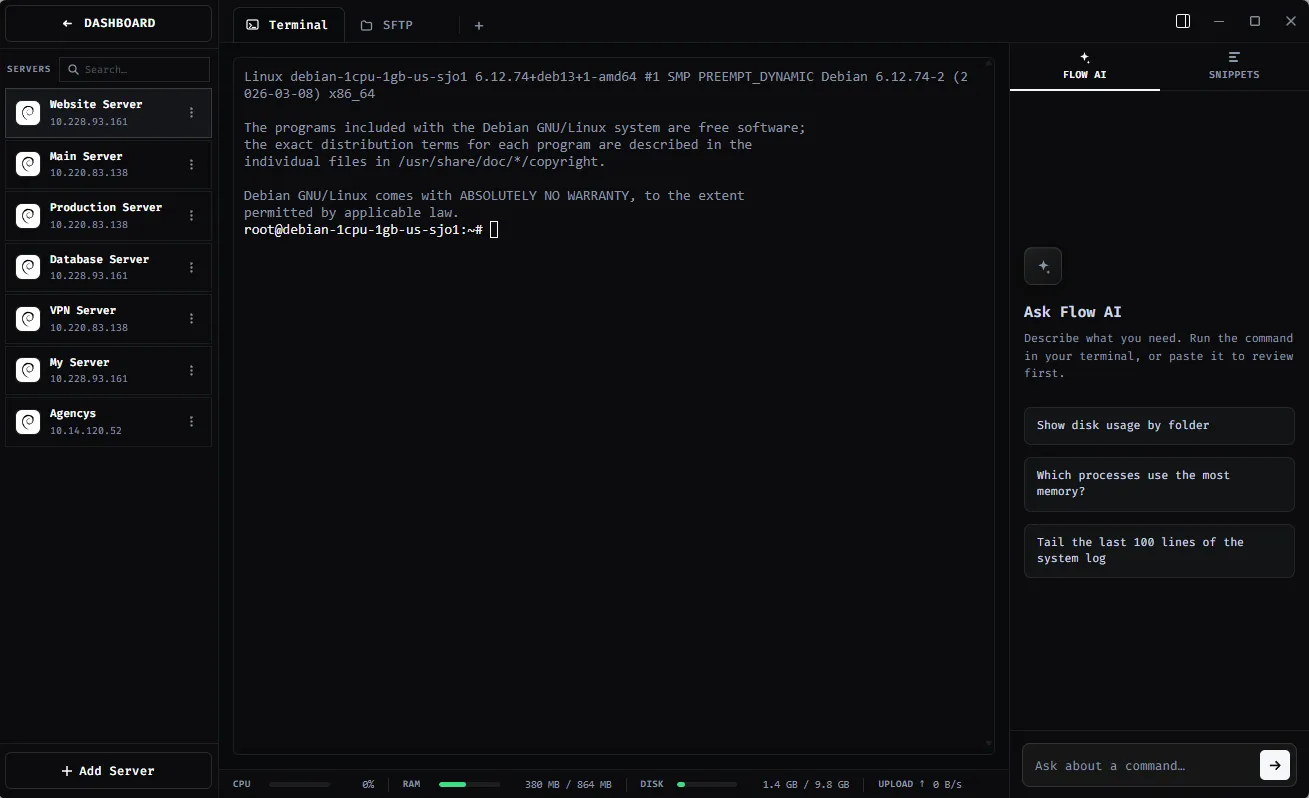
Ask while you work
Get help interpreting a command, understanding a configuration step, or planning a troubleshooting sequence without leaving your workspace.
FLOW AI / ASSISTANT
Move from a question about a command to the terminal and files you are already working with — without jumping between tools.
01 / WHY IT MATTERS
ShadeTerm keeps your tools focused on a connection and the task you are doing — rather than adding more windows and manual steps.
Get help interpreting a command, understanding a configuration step, or planning a troubleshooting sequence without leaving your workspace.
Review suggested commands and changes before applying them. AI-generated instructions can be wrong or unsafe, especially on production systems.
Go from explanation to Terminal, Files or Code in the same server workspace instead of copying context across unrelated apps.
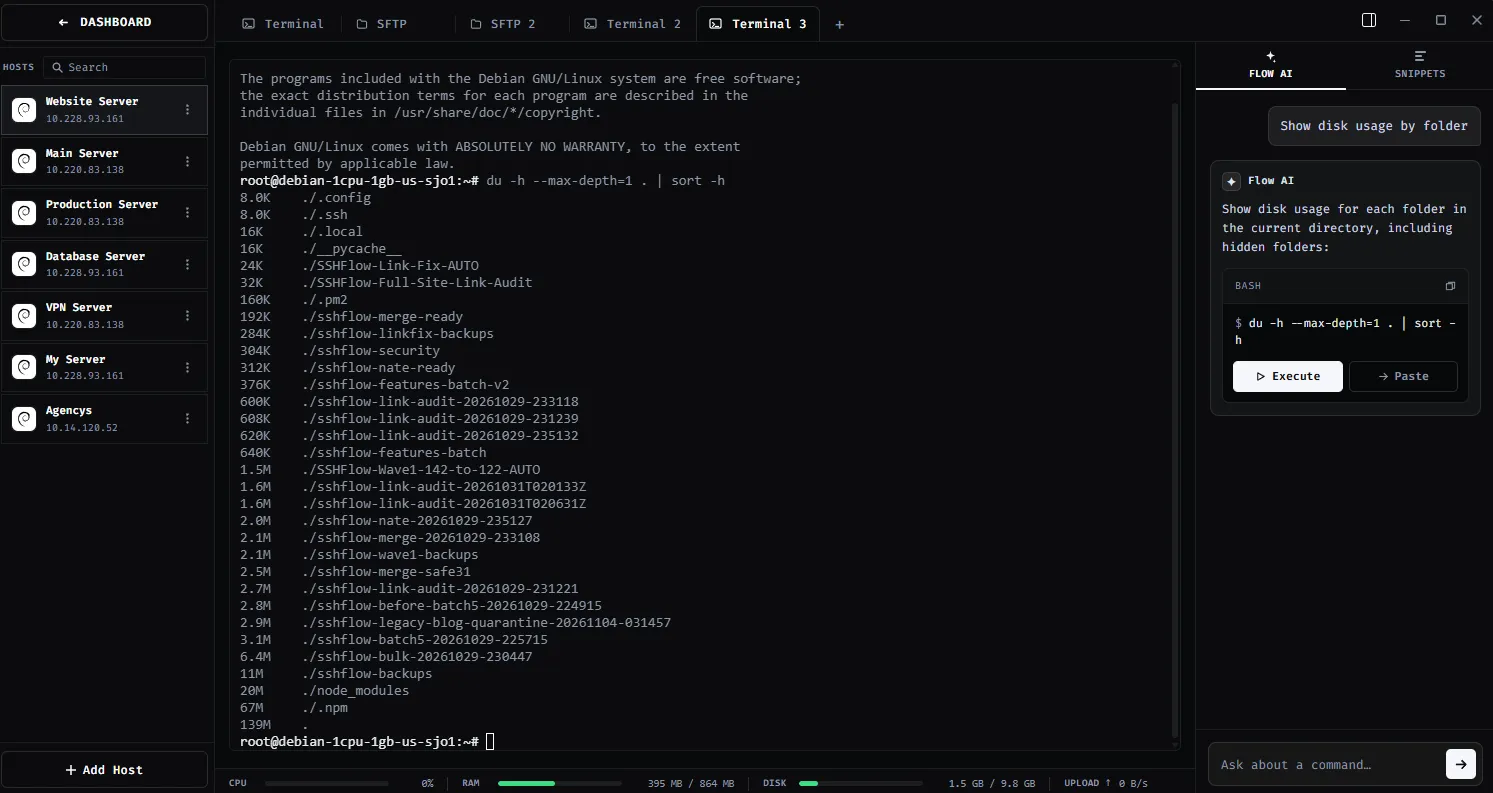
SEE IT IN SHADETERM
Screens from ShadeTerm for Windows — the interface behind the workflow.
02 / IN PRACTICE
Designed around everyday developer tasks, not a dashboard of features you never use.
03 / WORKFLOW
A focused sequence you can follow in your own ShadeTerm workspace.
Describe the command, error, or server task.
Check the proposed explanation and commands.
Apply the parts you trust using the SSH tools in your workspace.
04 / DETAILS
Practical limitations and useful details before you get started.
Yes. Verify AI-generated commands, particularly those that change services, permissions, files, or network access.
No. Terminal, SFTP and Code are usable as standard features without AI.
Yes. ShadeTerm lets you use AI assistance alongside the terminal and file tools, so you can review guidance while working on a server.
ShadeTerm / WINDOWS
Terminal, files, code and more — organized around your SSH connections.
Try ShadeTerm